Everyday Git · Work mode ⌘2 · Local edition, no account required
The daily driver underneath the recovery layer.
Runs your system Git 2.38.0+ · Your SSH keys, your keychain · macOS 12+, Apple Silicon and Intel
A client you don't trust for ordinary work isn't a safety net
Plenty of Git tools are good at one dramatic thing and mediocre at the forty small ones. You end up using them for the dramatic thing and your terminal for everything else, at which point the tool sees a fraction of what happens to your repository, and its record of your history has holes in it.
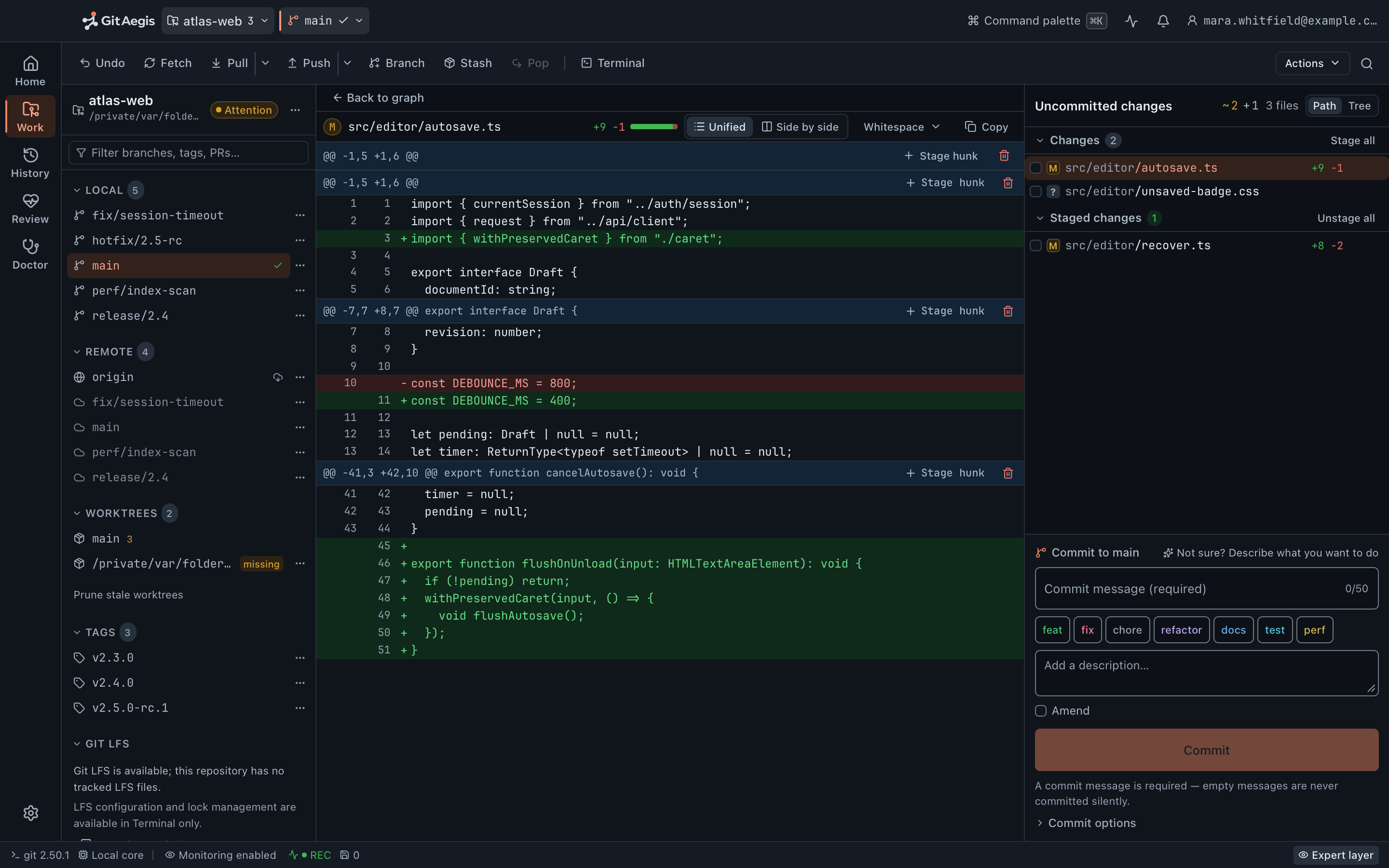
GitAegis is built to be the thing you actually have open. Not because it’s prettier, but because every operation you run here is planned, checkpointed and journalled. What you run elsewhere is observed afterwards, at pointer level: the ref, HEAD, index and stash movements land on the timeline; the file edits behind them show up in status.
The recovery layer only covers the operations GitAegis runs.
Repositories and discovery
The catalogue, and finding what to put in it
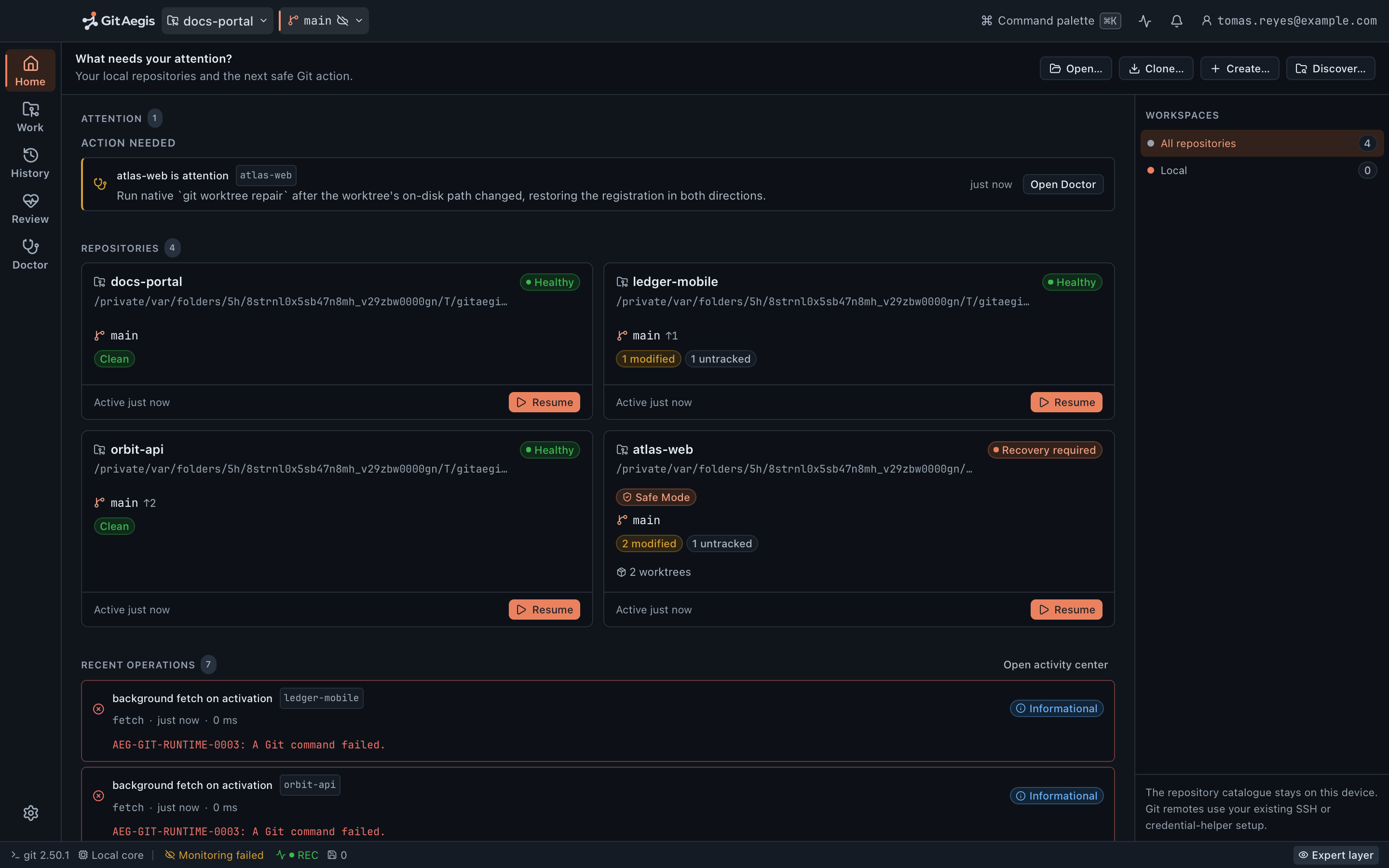
Every repository you’ve opened, in Home mode (⌘1), with its current branch, ahead/behind counts against the upstream, dirty state, last activity, and whether it’s in Safe Mode. Grouped and searchable; large lists don’t degrade, because the metadata is cached and refreshed rather than re-walked on every render.
Point GitAegis at ~/code and it finds the repositories underneath, including nested ones, with a depth bound and ignore rules so it doesn’t descend into node_modules/ for twenty minutes. You choose which of the found repositories to add.
Clone and init, with the boring parts handled
Clone reports real progress from Git’s own output (counting, compressing, receiving, resolving deltas) not an indeterminate spinner. Cancel mid-clone and the partial directory is cleaned up. Credentials come from your keychain and your SSH keys; GIT_TERMINAL_PROMPT=0 means an auth failure is an error you can read, not a hang.
Init offers an optional README.md, a .gitignore from a template list, and a licence file. The initial branch name is yours to set.
Status, staging and committing
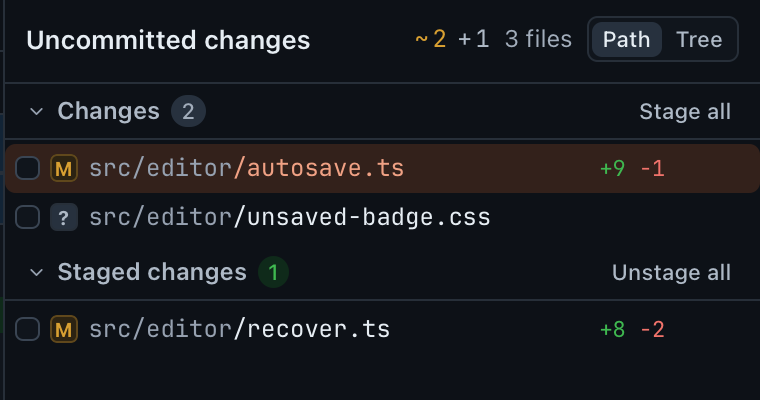
Stage a hunk. Stage three lines of it. Stage one.
Stage a hunk, stage a selection of lines within a hunk, stage a single line. Unstage the same way. Split hunks.
Discard, at the same granularity
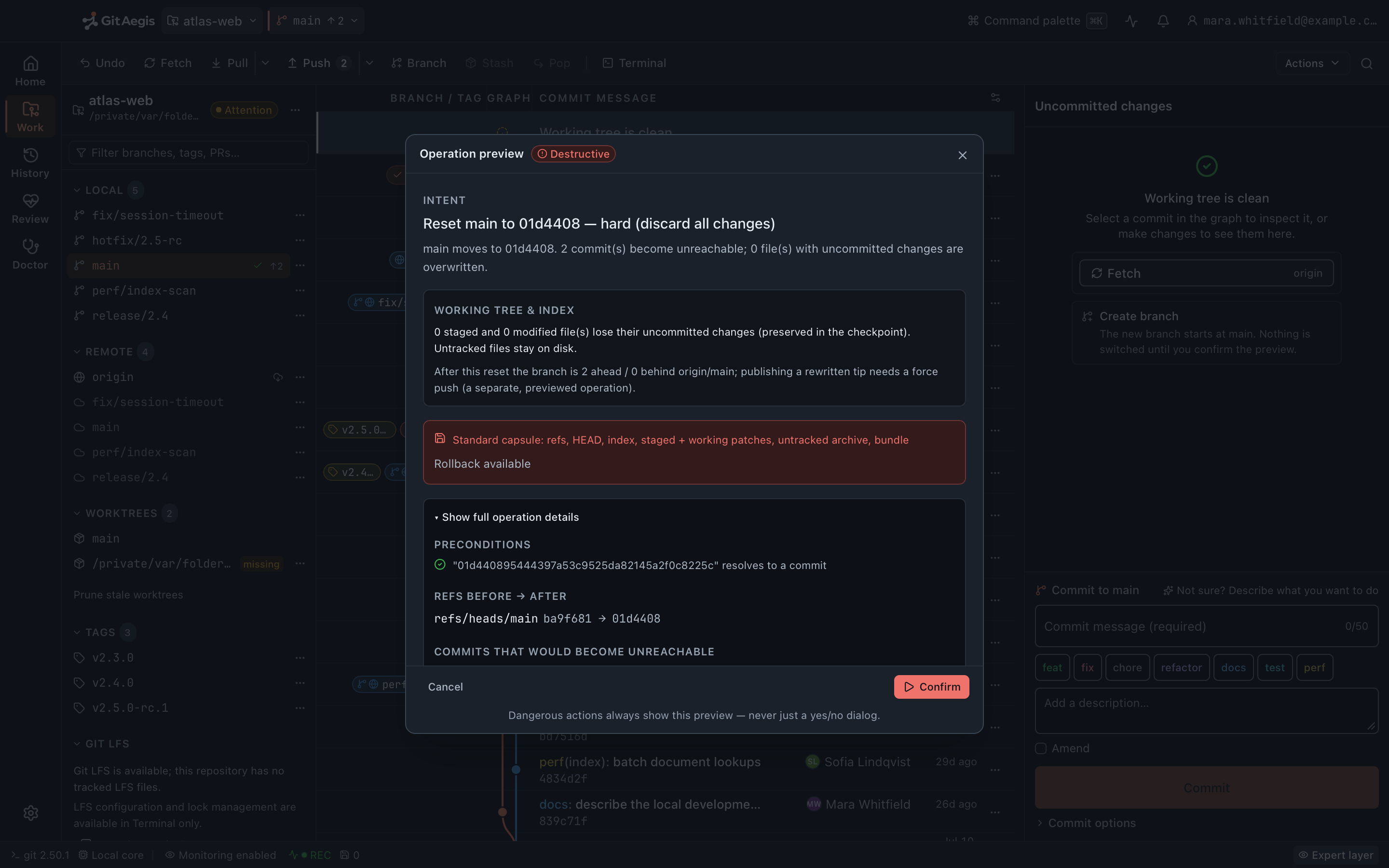
destructiveBecause it destroys work, it plans, previews and takes a standard capsule (untracked files included) before it removes anything.
Status keeps the distinctions Git makes: staged, unstaged, untracked and conflicted as separate groups rather than one list with icons. Renames are shown as renames. Submodule changes are shown as submodule changes, not as an opaque one-line diff.
src/editor/autosave.ts.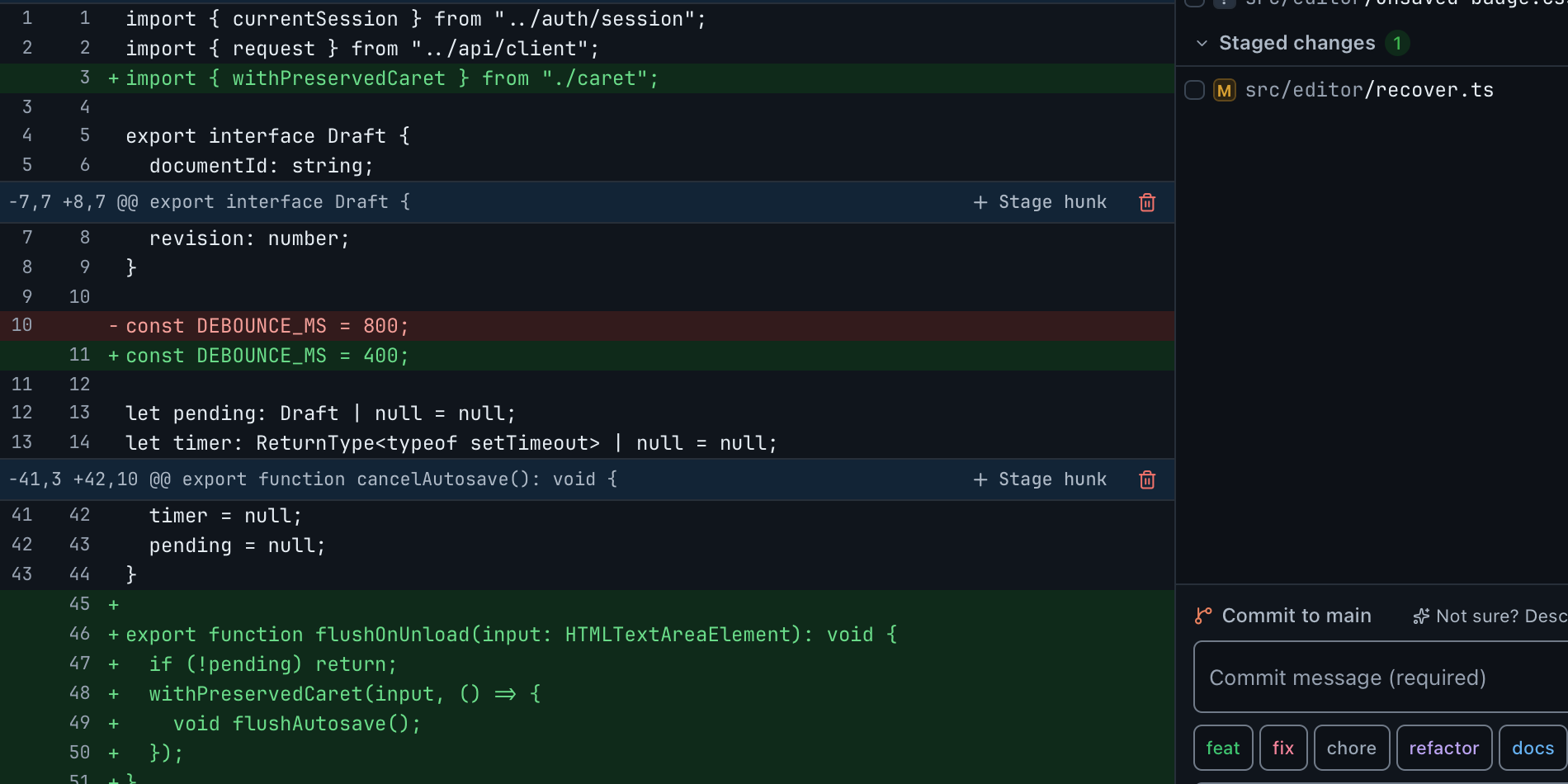
Diffs that are readable on real code
Word-level intra-line highlighting, whitespace-change toggling, configurable context, side-by-side or unified, syntax highlighting, and large-file and binary handling that says so rather than trying to render four megabytes of minified JavaScript.
Commit, with amend safety and signing pass-through
Message editing with subject and body separated, commit-message length guidance you can ignore, and co-author trailers.
caution Amend is treated as what it is (history rewriting) so it carries its own capsule, and amending a commit that has already been pushed is escalated with a plan that says why.
If your Git is configured to sign commits or tags (GPG, SSH signing, or gpg.format=x509), GitAegis runs your Git and your signing configuration handles it. It does not manage your keys, hold your passphrase, or reimplement signing. Signature status is displayed in history where Git reports it.
Branches, tags, remotes and refs
Branches and tags
Create, rename, delete, switch, set and clear upstream, with ahead/behind against the upstream and against any ref you choose. destructive Deleting a branch that still holds unmerged commits is a destructive operation: capsule first, and the plan tells you exactly which commits would stop being referenced, with a link into Lost Work if you decide afterwards that you wanted them.
Tags are lightweight or annotated: create, delete, and push individually or in a batch. Annotated tags get a message editor; signing is your Git’s business, pass-through as everywhere else.
Remotes, refs and the reflog
Remotes: add, rename, remove, edit URLs, and inspect the refspecs each one is configured with rather than assuming the default. Multiple push URLs are shown as multiple push URLs.
A raw view covers every ref in the repository: refs/heads/, refs/remotes/, refs/tags/, refs/notes/, and GitAegis’s own refs/aegis/, with oids in mono, so you see what’s actually there instead of what a branch list decided to show you. HEAD’s reflog is browsable with Git’s own reason strings, and GitAegis never expires a reflog.
Fetch, pull, push
Force push, with lease
--force-with-lease is the default, and the lease value is shown in the plan: the remote oid GitAegis believes is current, which is what the lease is asserting. Plain --force is available, requires typing the branch name, and states plainly that a capsule protects your local refs and cannot un-push. The previous remote oid is recorded in the journal, so pushing the old state back is at least possible as a deliberate follow-up operation.
Ordinary push, --set-upstream for publishing a new branch, and push tags. The plan shows the refspec and the remote oid it expects.
Fetch and pull
Fetch per remote or across all remotes, with --prune as an explicit choice rather than a silent default: pruning removes remote-tracking refs, and the plan says which ones and what they pointed at. Pull is merge or rebase, chosen per pull with your configured default pre-selected; a rebasing pull is classified by what it would rewrite, and takes a capsule accordingly.
Risk classification
Every mutation runs through the same planned, checkpointed transaction.
What the classification changes is what the plan demands of you before it runs.
- caution
- It rewrites history you may already have shared. Amend is the one on this page: its own capsule, and an escalated plan that says why when the commit has already been pushed.
- destructive
- It destroys state that only a capsule brings back: a hard reset, a restore, a clean, a discard. Capsule first, untracked files included, or the operation does not run.
Merge, rebase, cherry-pick, revert, reset, restore, clean
The seven operations that lose people's work, plus the two that quietly destroy it. Each one is planned, risk-classified, capsuled, and rehearsed where Git allows a rehearsal.
Merge
--ff--no-ffFast-forward or no-fast-forward, chosen explicitly. The rehearsal replays the merge in an isolated worktree before your own working tree is touched, so the plan can say whether it applies cleanly and where it conflicts. Where a sandbox cannot be created, the prediction falls back to a read-only merge-tree computation, which is tree-level only.
Rebase
destructive--onto--interactiveOnto a branch or an upstream, and interactive with a real todo editor: pick, reword, edit, squash, fixup, drop, reorder. Rehearsed in an isolated worktree first, capsuled always. The sequencer's continue, skip and abort are first-class controls throughout, not buried in an error message.
Cherry-pick and revert
A single commit or a range, with or without committing, with the sequencer controls available for both. Both are rehearsed before they run. Reverting a merge asks which parent, because Git requires it and guessing would be wrong.
Reset
destructive--soft--mixed--hardEach form labelled with what it does to the index and to the working tree, in plain words. The hard reset takes a standard capsule including your untracked files before it runs.
Restore
destructivePer file, per hunk, per line, from HEAD or from any commit, into the working tree, the index, or both. The plan lists every path it will overwrite.
Clean
destructive-d-xUntracked directories go with the untracked files. Removing ignored files as well is a separate, explicitly labelled choice, because that is where your .env lives. The untracked domain of the capsule carries them either way.
Discard
destructiveAvailable at hunk and line granularity, like staging. It plans, previews, and takes a standard capsule that includes your untracked files before it removes anything.
Amend
cautionHistory rewriting, treated as history rewriting: its own capsule, and an escalated plan that says why when the commit you are amending has already been pushed.
Conflicts
Real stage 1, 2 and 3 access: mid-merge, on a real conflict.

Base, ours, theirs: read, not guessed
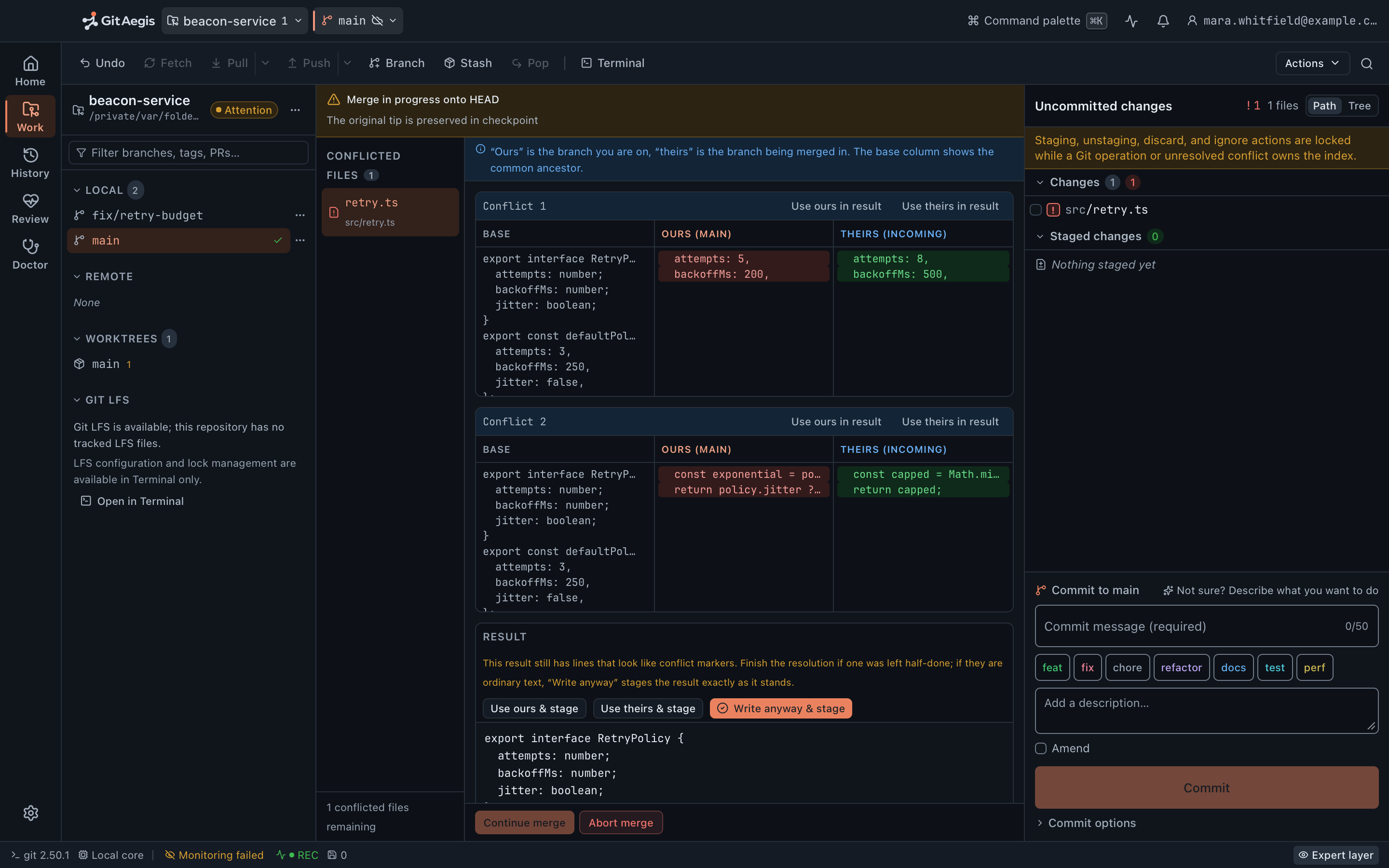
When a conflict occurs, GitAegis reads stages 1, 2 and 3 (base, ours, theirs) for every conflicted path and shows all three. Not a two-way diff with the base guessed at.
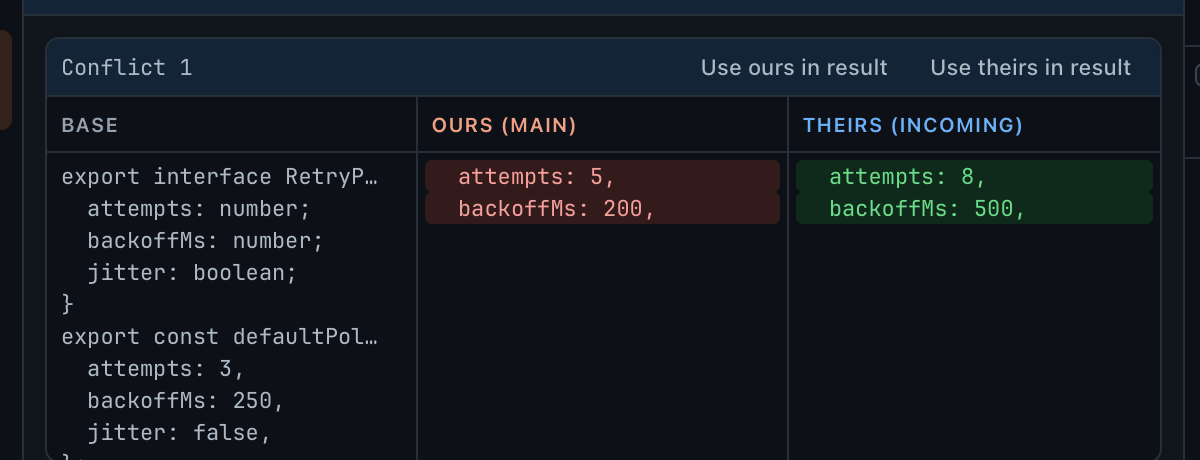
Resolve by taking ours, theirs or base, or by editing the merged result directly with per-hunk selection. Binary conflicts are resolved by choosing a side, because that is the only honest option. Conflicted submodules are resolved by choosing a gitlink oid, shown with what each side points at.
Sequencer control, and no external tools
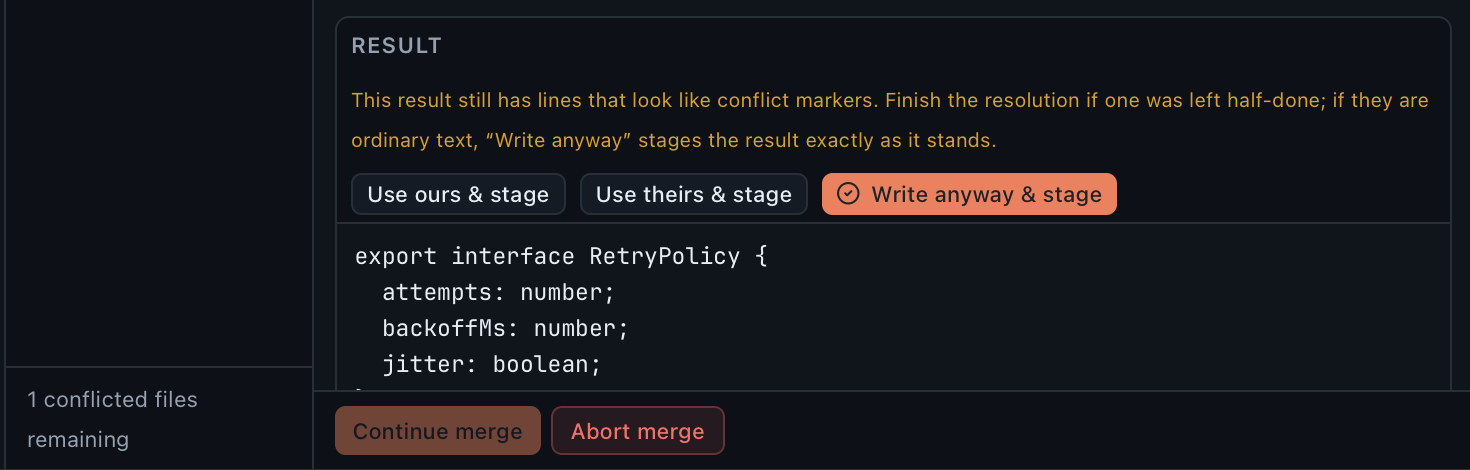
Continue, skip and abort stay visible while a sequencer is in progress, in every mode, with the remaining todo list readable. Aborting restores through Git’s own abort path, and the capsule taken before the operation is still there if the abort itself leaves something you didn’t expect.
External merge tools are never launched. merge.tool is not consulted and no external process is spawned. Resolution happens in GitAegis.
Worktrees, stashes, submodules, LFS
Four first-class surfaces, each with its own consequence for what a capsule can bring back.
Worktrees
Create a linked worktree for a branch or a commit, lock and unlock it with a reason, prune registrations whose directories are gone, and open one in the catalogue as a first-class repository. Sibling worktrees matter to recovery too: each has its own HEAD, and Lost Work reads them when it scans.
Stashes
destructiveCreate with or without untracked files and with a message, apply, pop, drop, branch from a stash, and clear. The list shows each entry’s parent commit, its message, and whether it carries untracked content. Drop and clear destroy the reflog entry that names the stash commit, so both take a capsule first; after that, only Lost Work can find it.
A stash that conflicts on apply leaves you in a conflicted state with the stash still intact; there is no generic resume for that case, and the app says so rather than offering one.
Submodules
Init, update with --recursive as an explicit choice, sync .gitmodules into .git/config, and deinit. Each submodule’s status is what it actually is: initialised or not, at the recorded gitlink or moved, clean or dirty inside.
A submodule’s own working tree is a separate repository with its own capsules; the parent’s capsule covers the parent’s state.
LFS
Status, missing-object accounting with the count and the paths, fetch for missing objects, and read-only lock listing read from the cached lock list without contacting the remote. GitAegis shows who holds a lock; it does not take locks and does not break them.
LFS is a .gitattributes filter, which means it runs during restores too: see the limits below.
The application around it
Five modes, five keys
Home ⌘1 catalogue, Work ⌘2 status and staging, History ⌘3 graph and search, Review ⌘4 change sets, Doctor ⌘5 diagnosis and repair.
Command palette ⌘K
Searches the operations the orchestrator can actually plan, with the repository and ref context already bound. Not a fuzzy search over menu labels.
UI scale 80–200%
A commit graph at 100% on a 32-inch display is not the same product as one on a 13-inch laptop.
Light, dark, or system
Light is fully supported, not a degraded second.
Keyboard throughout
Every operation reachable without the mouse, with visible focus states and no keyboard traps.
Support bundles stay local
Written locally, secret-scanned, path-redactable, reviewable before it is written, and never transmitted by the app.
What the toolkit does not do
It doesn’t bundle Git. It runs the Git you installed, 2.38.0or newer, and refuses to operate on an older version rather than degrading quietly. macOS 12’s Command Line Tools ship 2.37.1, which is below the floor: brew install git.
It never launches external diff or merge tools. diff.tool and merge.tool are not consulted, in any mode. Diffs and conflict resolution happen inside GitAegis.
It doesn’t manage your credentials or keys. Your system keychain and your own SSH keys, used through your Git. GitAegis stores no token of its own for Git transport and never prompts for a passphrase, GIT_TERMINAL_PROMPT=0 turns a hidden prompt into a readable error.
.gitattributes content filters can’t be disabled wholesale. If your repository defines a filter driver (LFS, a smudge/clean pair) Git applies it when working-tree content is written, including during a capsule restore. GitAegis pins the config environment and blocks hooks in Safe Mode; attribute-driven filters are Git’s own path and are not globally switchable off from a client.
LFS locks are read-only. Listed and attributed, never taken and never broken.
No git gc, no git prune, no git reflog expire. Not in maintenance, not in cleanup, not anywhere: they aren’t implemented. Two commands in the toolkit carry the word and neither deletes an object: git remote prune removes remote-tracking refs, and git worktree prune removes registrations for directories that are already gone. Both are explicit choices with a plan.
No demonstration mode. The UI never reaches past the typed AegisClient contract and there is no fixture-data fallback. If the core is unavailable, the interface says so and stops.
Free edition · No account required
A recovery capsule before every risky Git operation.
You see the exact commands before they run, and the operation is refused if the capsule cannot be written.
Requires Git 2.38.0 or newer, already installed.
Every risky operation, in this order
- Previewthe exact commands, shown before anything runs
- Capsulerefs, index, staged and working changes, untracked files, operation state: written to disk first
- Executethe commands as shown, or not at all
- Journalplan, commands, capsule id, outcome