Everyday Git · History mode ⌘3 · Local edition, no account required
Reading history is how you find out what happened.
Read paths only · Available in Safe Mode · GitAegis never runs reflog expire
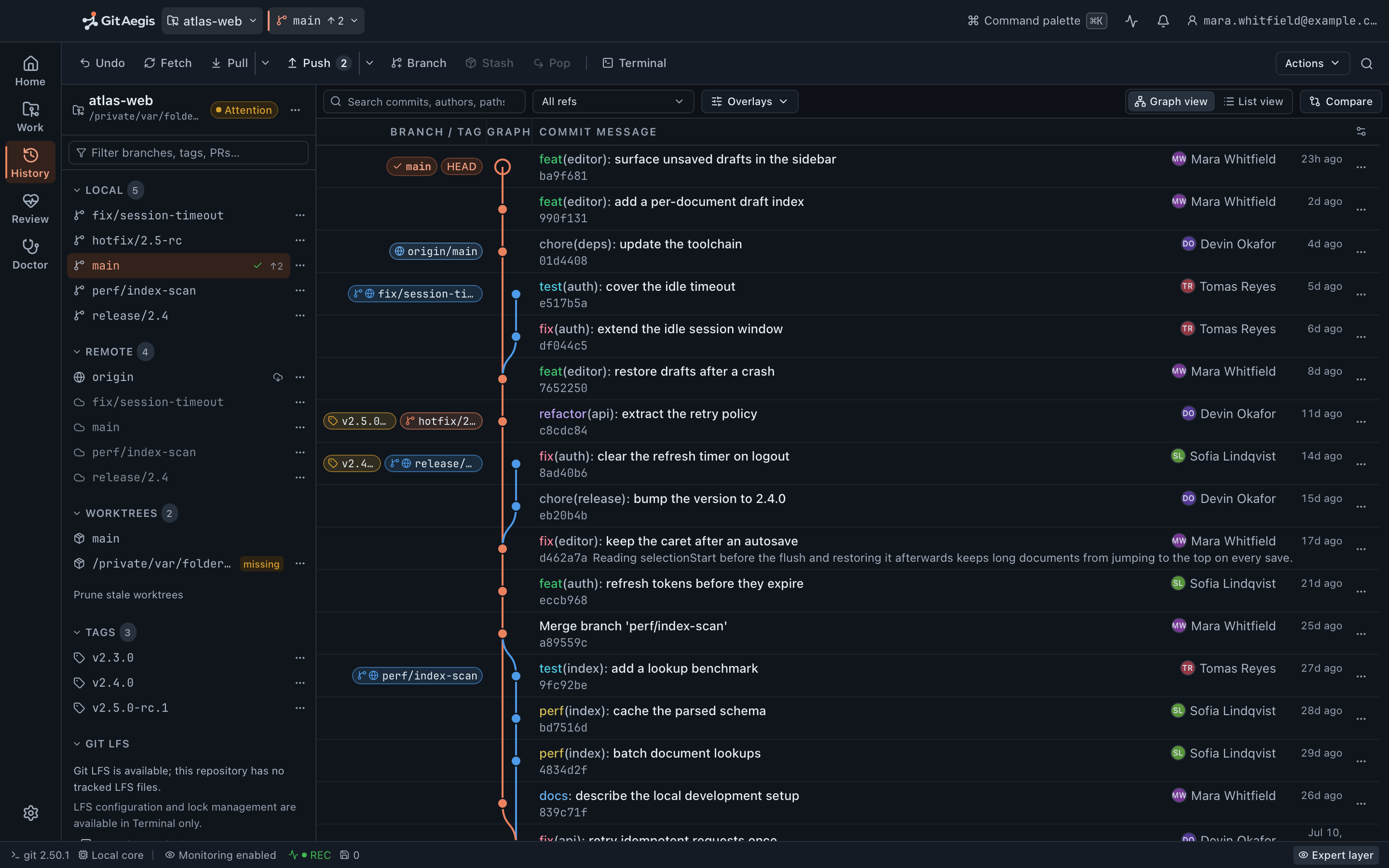
Every recovery starts as a reading problem
Before you can put something back, you have to find it. Which commit was the last good one. When the file stopped working. What that branch was pointing at before somebody moved it. Which of the four commits with the message wip is yours.
That work is reading, and reading is the part most Git clients treat as decoration: a pretty graph that renders slowly and can’t be filtered, a blame view that gives up at the first rename.
History mode is a read surface built for the moment you actually need it: when something is wrong and you’re looking for the point where it wasn’t. Every view here is read-only, so all of it stays available in Safe Mode, when mutating controls are locked out.
Diagnosis needs reading, and reading can't make it worse.
The commit graph
Lanes that stay put, read in pages
The graph is laid out so a branch’s lane doesn’t jump columns as you scroll, and merges are drawn to their real parents. History is read in pages as you scroll, so a repository with a hundred thousand commits opens immediately rather than after a full walk, and jumping to an oid, a ref or a search hit seeks directly.
Overlays add remote-tracking branches, tags, author avatars, signature state, repository health, and a mark on any commit the operation in progress is about to rewrite.
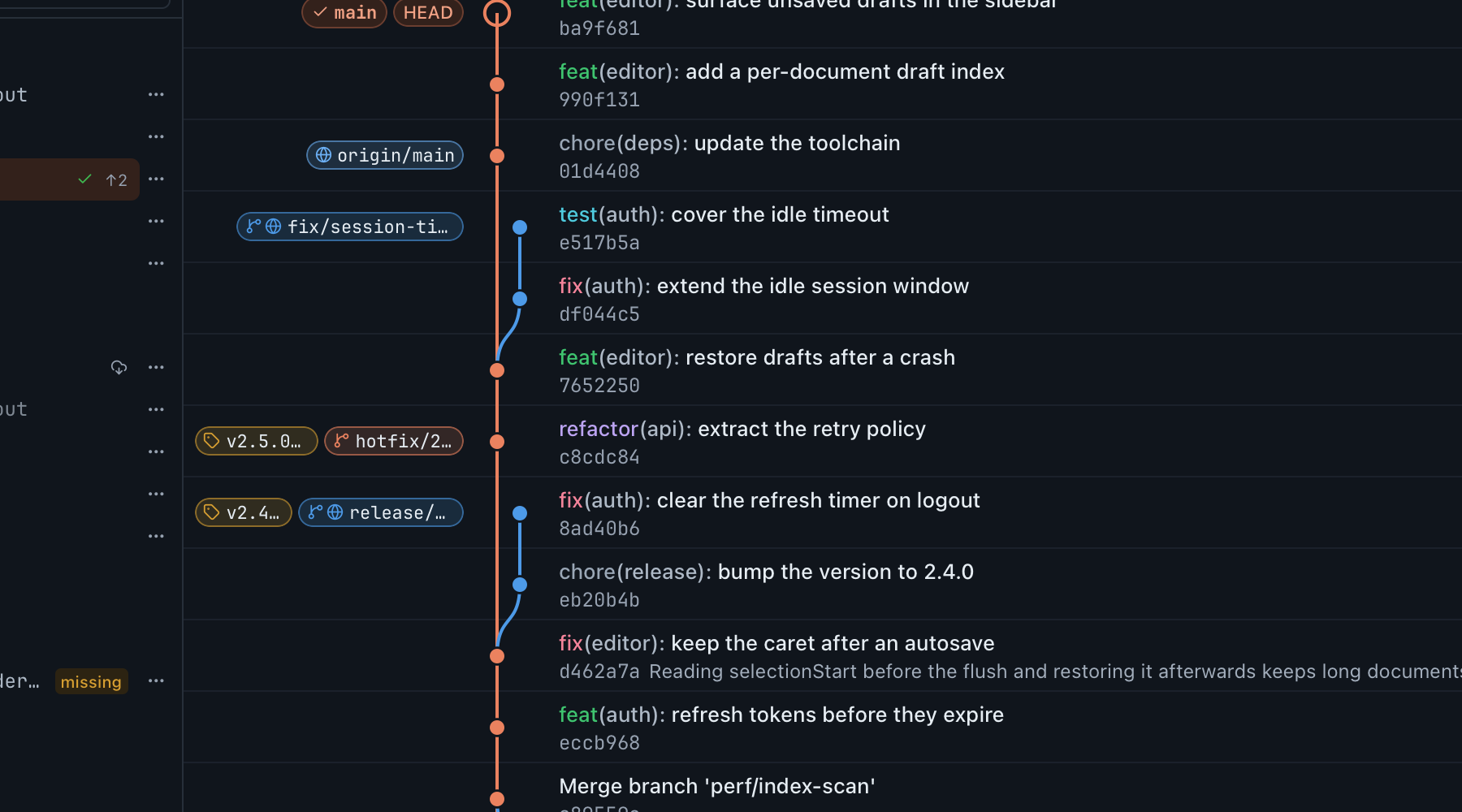
Commit detail, in full
The full message with subject and body separated, author and committer with both dates, parent oids, signature status where Git reports it, and the commit’s changed files as a flat list or as a tree. Every oid is in mono and copyable. Local branch pills carry the colour of the lane their commit sits on, and only the checked-out branch wears the brand mark, so a pill leads your eye straight to its node instead of making you read every label.
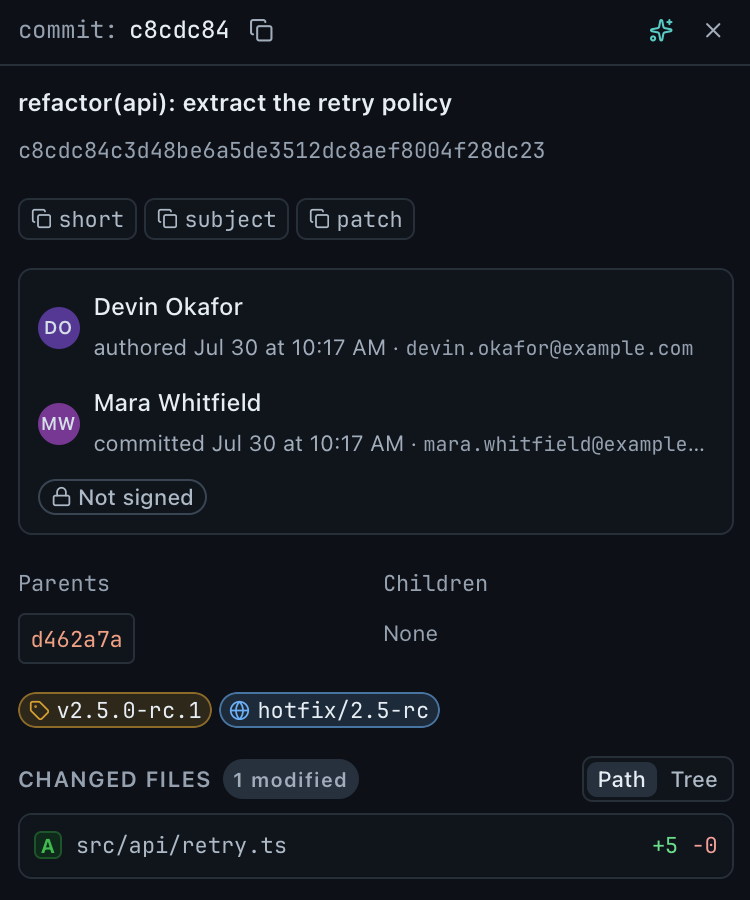
The graph filter
Twenty-two commits in the walk. Two match.
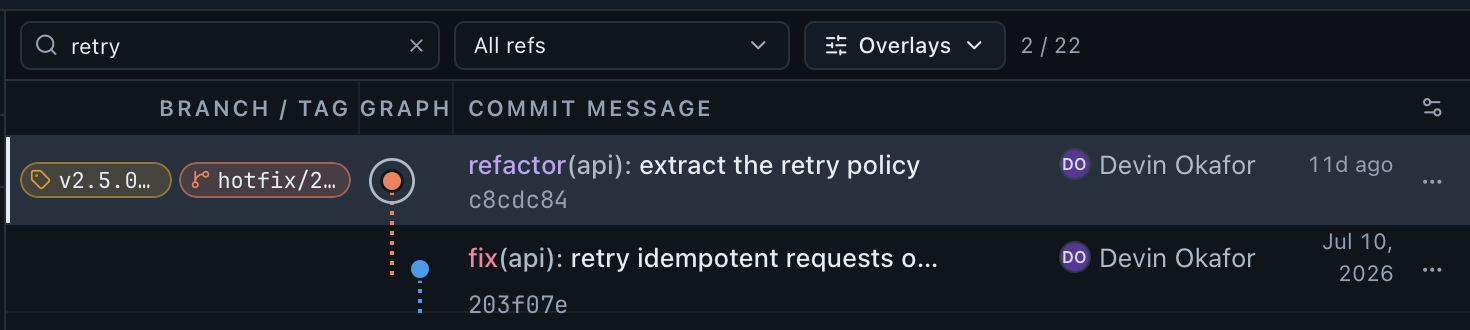
2 / 22
Narrow the walk by graph mode (every ref, the checked-out branch, first-parent only, the commits a tag points at, the branches currently checked out in a worktree) then filter what remains by subject, author or hash. The count is the graph’s own: here, the fixture’s history filtered to retry.
- All refs
- Checked-out branch
- First-parent only
- A tag's commits
- Worktree branches
Compare
Two commits, and the base they share
Mark one commit as the base and another as the head. The core resolves both, calculates their merge base, and returns the real base...head range: the changed files, the additions and the deletions. The interface never reconstructs that range from the two endpoints, because a comparison that quietly guessed its own base is how you end up reading a diff that doesn’t exist.
Most surprising comparison results are actually a surprising merge base, which is why the range summary names the base rather than leaving you to work it out from the dot count.
Base
the commit you mark first
Head
the commit you compare it to
Their merge base, resolved by the core
The real base...head range
The changed files, the additions and the deletions, never reconstructed from the two endpoints.
One path, read three ways
File history and blame.

One file, its whole life
Every commit that touched a path, with that path’s diff in each, so you can walk a file backwards without reading unrelated changes. Rename following is on: the history doesn’t stop at the commit where somebody moved the file into a new directory. Give it a path that no longer exists and it shows the history up to and including the commit that removed it, which is usually why you’re asking.
From an entry you can open the full commit, compare it, or restore that version of the file into your working tree. Restoring is an operation like any other: planned, previewed, capsuled.
Blame, at whichever revision you need
Line-level attribution with commit and author, read straight from git blame --porcelain: each line names the commit that introduced it. Blame a line range rather than a whole file when the file is enormous.
Blame at a revision, not only at the working tree: the standard way to walk past a reformat to the change that actually introduced the behaviour. If the repository has a .git-blame-ignore-revs file, GitAegis passes it, so the mass-reformat commit stops being the answer to every question. Opening an old commit resolves to that commit’s oid first, so history never silently attributes today’s file.
Search
Search queries an index of commit metadata that GitAegis refreshes from Git incrementally. The index is an acceleration layer and never the authority. Git is.
- Commit messages
- Subject and body together, matched as substrings.
- Authors
- Name or email, matched against both.
- Object ids
- A full or partial oid, including commits no ref points at any more.
- Branch
- Restrict the result set to one branch by name.
- Path
- Restrict to commits touching a path prefix.
- Date range
- Before or after a date, combined with any of the above.
What the index never holds
Your file contents.
Oids, author names and emails, subjects, messages and dates, refreshed from Git in bounded pages, and nothing else. There is no content search across diffs; to find where a line came from, use file history or blame on the path.
Bisect and the reflog
The two read surfaces you reach for when the question is “when did this start?” rather than “what does this say?”
Bisect, with the candidate range in view
Start from a known-good and a known-bad commit and the view shows the current candidate, the steps taken so far, and roughly how many remain. Mark good or bad, skip a commit that won’t build, or reset the whole thing. Each step is recorded on the Flight Recorder as an app-originated event, so a bisect leaves a trail rather than a mystery.
And the limit, stated here: bisect has no generic resume. If GitAegis is closed or crashes mid-bisect, the next launch reads that log and shows you where you are, and you continue with the bisect controls or reset. There is no resume-where-you-left-off action, because Git does not expose a state a bisect can be generically resumed from. The same is true of a conflicted stash apply.
A commit you know is good
A commit you know is bad
The candidate, checked out for you
with the steps taken so far, and roughly how many remain
- Goodthe fault came later: everything older than the candidate is out
- Badthe fault was already there: everything newer is out
- Skipthis one won't build: the candidate steps aside, the range keeps its size
Reflog browsing, never expired
HEAD’s reflog is a graph mode of its own: Git’s local record of where HEAD has been, with Git’s own reason strings, including movements caused outside GitAegis.
commitreset: moving torebase (finish)checkout: moving frommergepull
Entries link out: to the commit, to the Flight Recorder events around them, and into Lost Work when the commit an entry names is no longer reachable. GitAegis does not run git reflog expire, git gc or git prune (they are not implemented) so your reflog lasts as long as your own Git configuration keeps it, and nothing GitAegis does shortens it.
The read surface
Every view in History mode is read-only, so all of it survives Safe Mode.
- Read paths only
- Available in Safe Mode
- Never runs reflog expire
What history mode does not do
It doesn’t rewrite anything. Every view here is read-only. Actions that mutate (restore a file version, create a branch at a commit, cherry-pick, revert) hand off to the orchestrator with a plan, a preview and a capsule. History mode itself writes nothing.
Search reads commit metadata, not your code. The index holds oids, author names and emails, subjects, messages and dates, refreshed from Git in bounded pages. File contents are never copied into it, and there is no content search across diffs; to find where a line came from, use file history or blame on the path.
Blame is a heuristic. Rename and copy detection are threshold-based, in GitAegis as in Git. Blame tells you which commit last touched a line, which is not always the commit that caused the behaviour: hence blaming at an earlier revision, and the ignore-revs file.
Shallow and partial clones show what they have. History that was never fetched isn’t on your disk and can’t be walked. GitAegis reports the history as truncated rather than presenting a shallow boundary as the beginning of the project.
Signature status is Git’s answer, not ours. GitAegis displays what your Git reports about a signature, using your keyring configuration. It doesn’t verify independently, doesn’t manage keys, and doesn’t assert trust beyond what Git returns.
bisect and a conflicted stash apply have no generic resume. Stated above, repeated here because it’s the limit people hit.
Free edition · No account required
A recovery capsule before every risky Git operation.
You see the exact commands before they run, and the operation is refused if the capsule cannot be written.
Requires Git 2.38.0 or newer, already installed.
Every risky operation, in this order
- Previewthe exact commands, shown before anything runs
- Capsulerefs, index, staged and working changes, untracked files, operation state: written to disk first
- Executethe commands as shown, or not at all
- Journalplan, commands, capsule id, outcome